Mautic - Preference page and Opt-out
Table of content
Preference center
The preference center allows the contacts to edit their preferences or - in other words - change what types of mail they want to receive or not receive.
Typically a preference page will include:
- Some intro text explaining the what, why and how
- A checklist of available segments. The ones that are checked on page load are the ones the contact is subscribed to.
Shortcode: {segmentlist} - A button to save the changes/preferences
Shortcode: {saveprefsbutton}
Segments
Preferences are based on segments. Contacts subscribe or unsubscribe from segments.
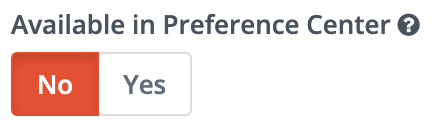
For every segment individually you have the option to make it visible/editable in the preference center or not.
Keep in mind that this requires a certain structure and use of the segments:
- Use a limited amount of segments in the preference center to keep it clear for the contacts and give them a name that is self explanatory.
- To avoid people getting emails while they are unsubscribed for all - to them - visible segments, make sure you allocate the other segments to the “preference segments”. This means that you would filter every segment on the membership to one or more of the “preference segments”.
Link to preference center
Use following shortcodes in your email:
- Text: {unsubscribe_text}
This will display a snippet which you can change in Settings → Configuration → Email Settings → Unsubscribe Settings - URL: {unsubscribe_url}
This will display the URL pointing towards the preference center of a specific contact. The URL will look something like this: mautic.domain.be/email/unsubscribe/xxxxxxxxxxxxxx
No preferences ≠ Opt-out
Unsubscribing to all available “preference segments” is not the same as an Opt-out (or “Do Not Contact”).
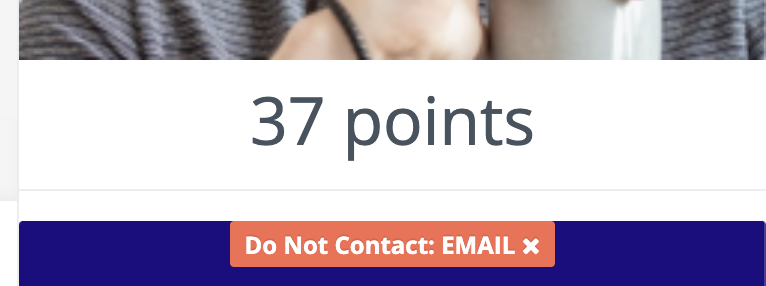
Unsubscribing to all available “preference segments” will make sure a contact will not receive mails being send to one of the segments.
An Opt-out will make sure the contact will not receive ANY email. Even if the contact is still in one or multiple segments.
Unsubscribe page
The unsubscribe page allows the contacts to Opt-out from any (marketing) emails. This will result in a “Do Not Contact” label on the contact.
A contact with this label will not receive any communication from a specific channel (email in this case). He/she will be excluded from any list of receivers before sending. They can still be part of one or more segments but will not receive emails sent to those segments.
Form
Typically an unsubscribe page will include:
- Some intro text explaining the what, why (not) and how
- A form with an email field and button. The email field could be prefilled if the email address is known.
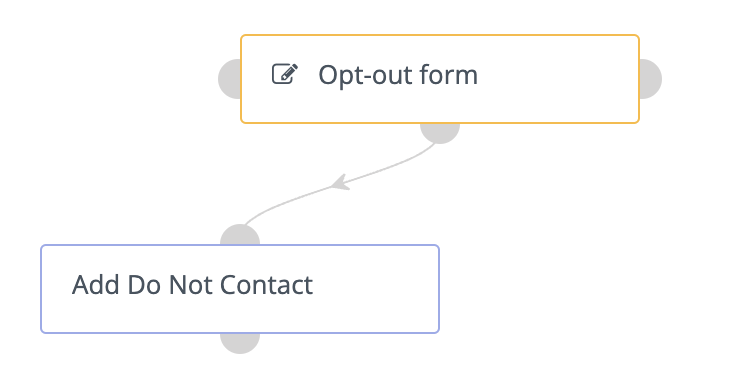
Submitting the form will trigger a campaign adding a “Do Not Contact” to the email address entered in the form.
The contact will be redirected to a separate “Thank you”-page or see a message verifying their unsubscription.